
Diplo God Mode makes Umbraco developers invincible!



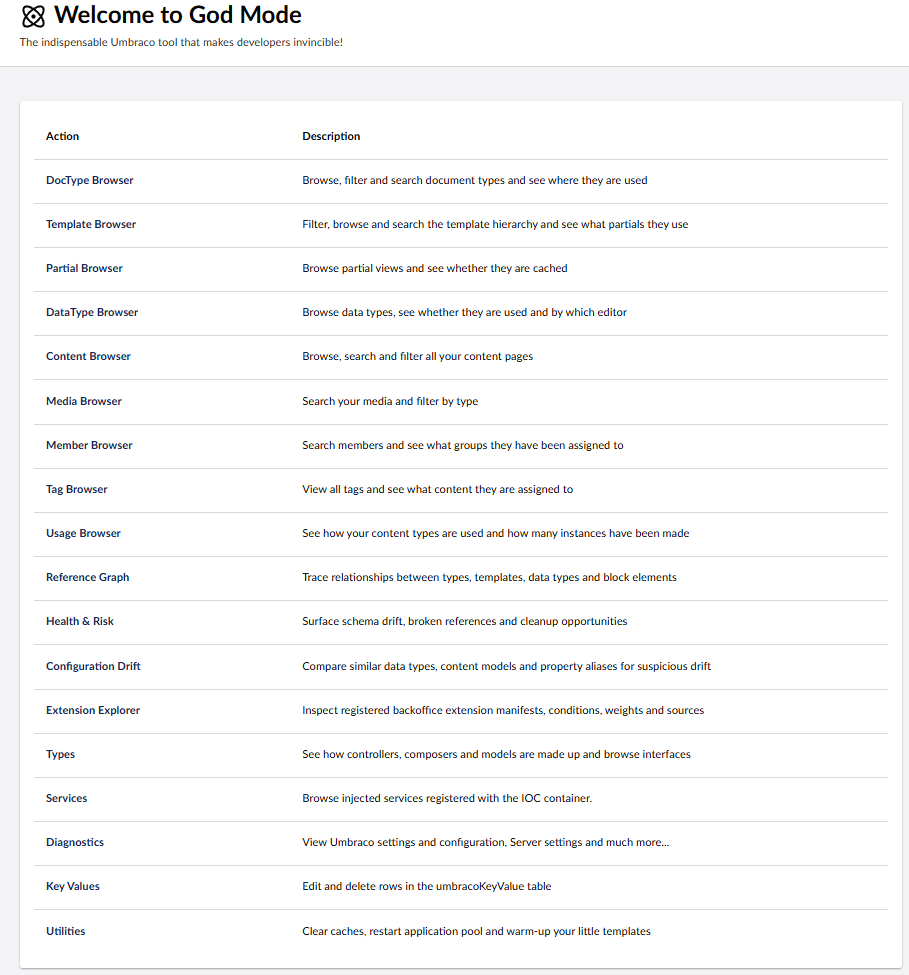
This package adds a God Mode tree to the Settings section of Umbraco 17.
It gives developers fast access to site structure, diagnostics, configuration, content references, services, templates, partials, media, members, tags, and other implementation details that are useful while building or supporting an Umbraco 17 site.
If Umbraco is an Allen key then God Mode is the swiss army knife that helps you get under the hood and understand how things are working, find issues, and speed up development. Read more.
For details of the new 17.4.0 features, see the package release notes. Package validation and manual upload details are recorded in the 17.4.0 release checklist.
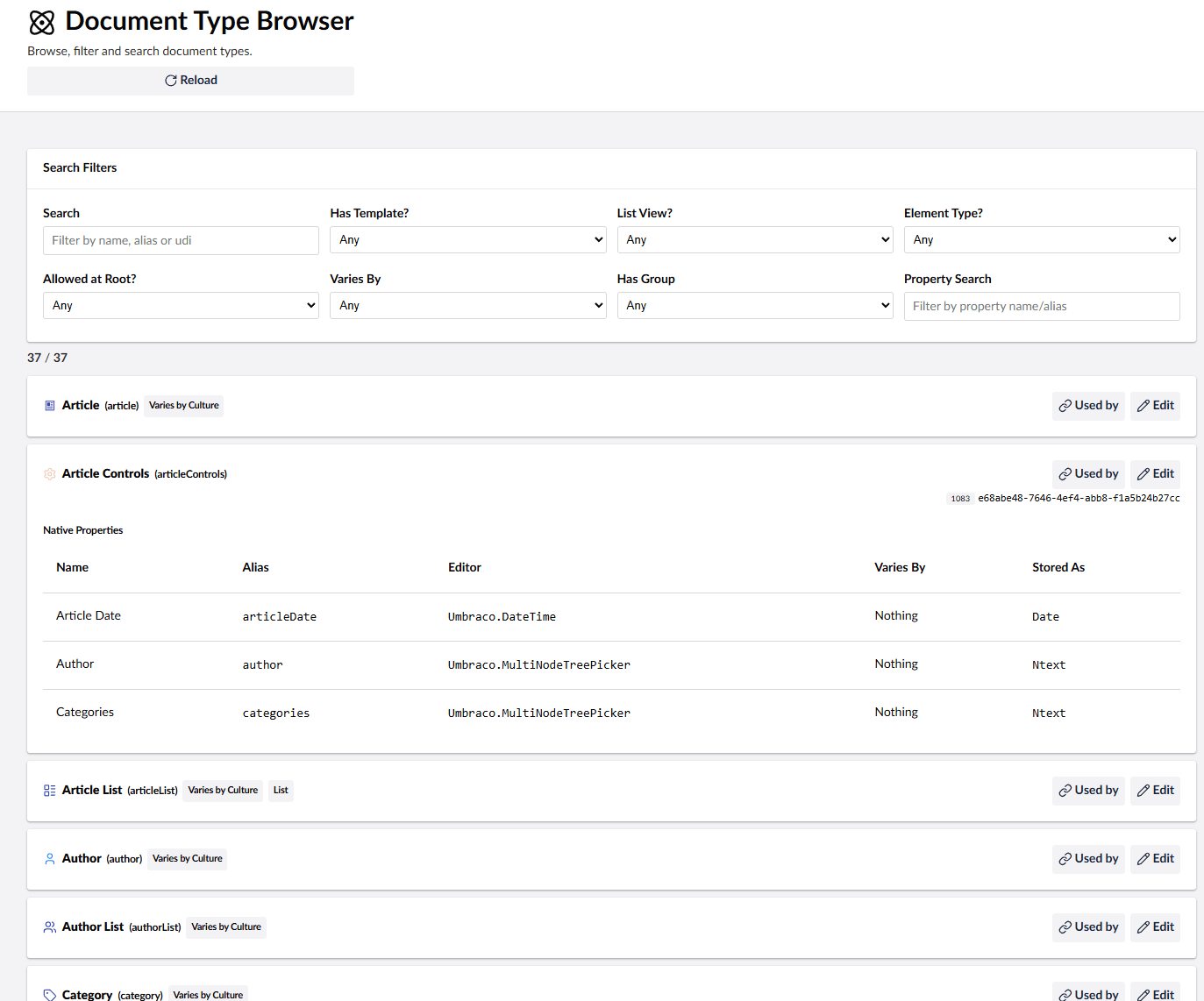
- Search document types, templates, editors, media, content, members, and tags.
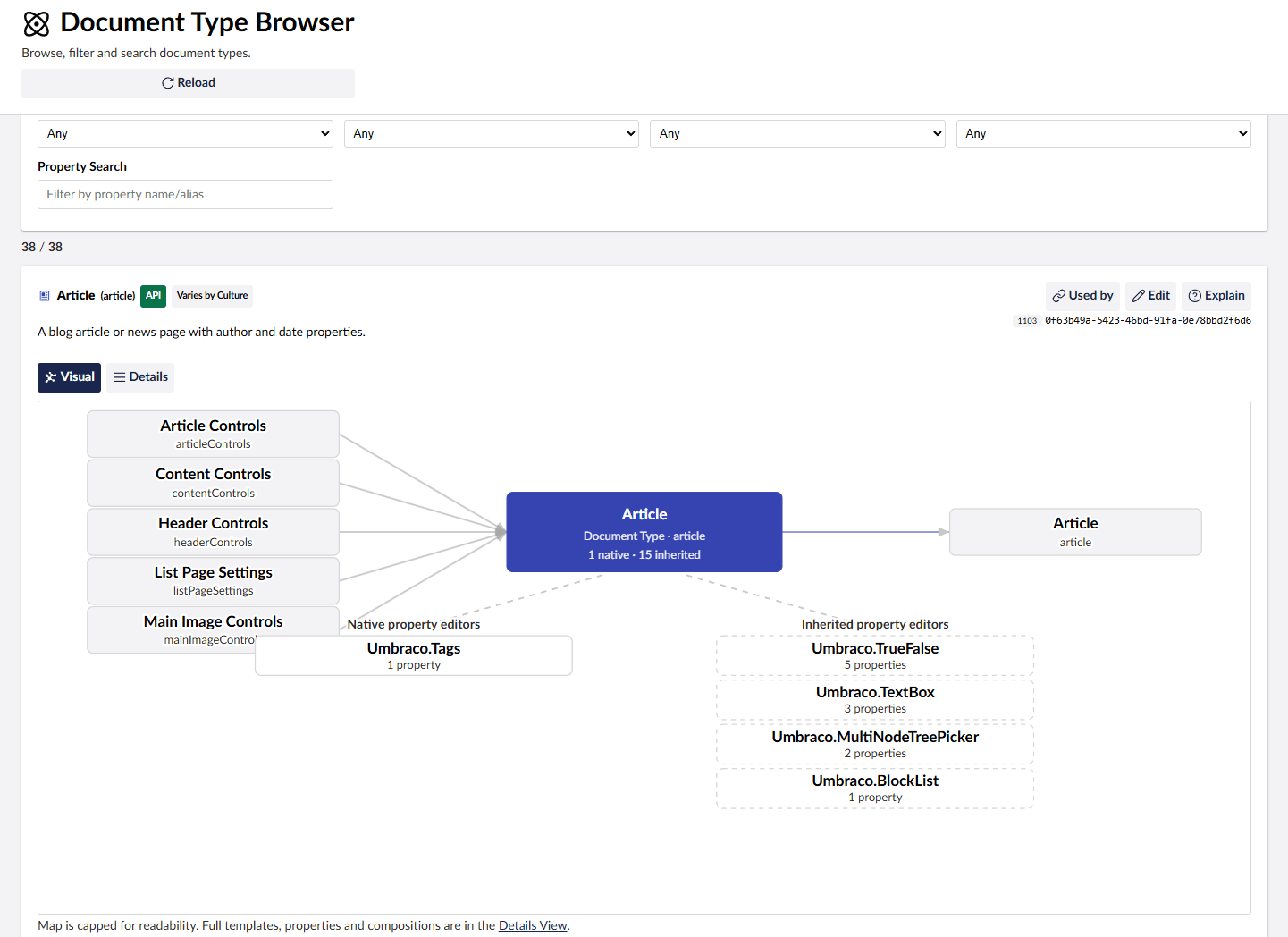
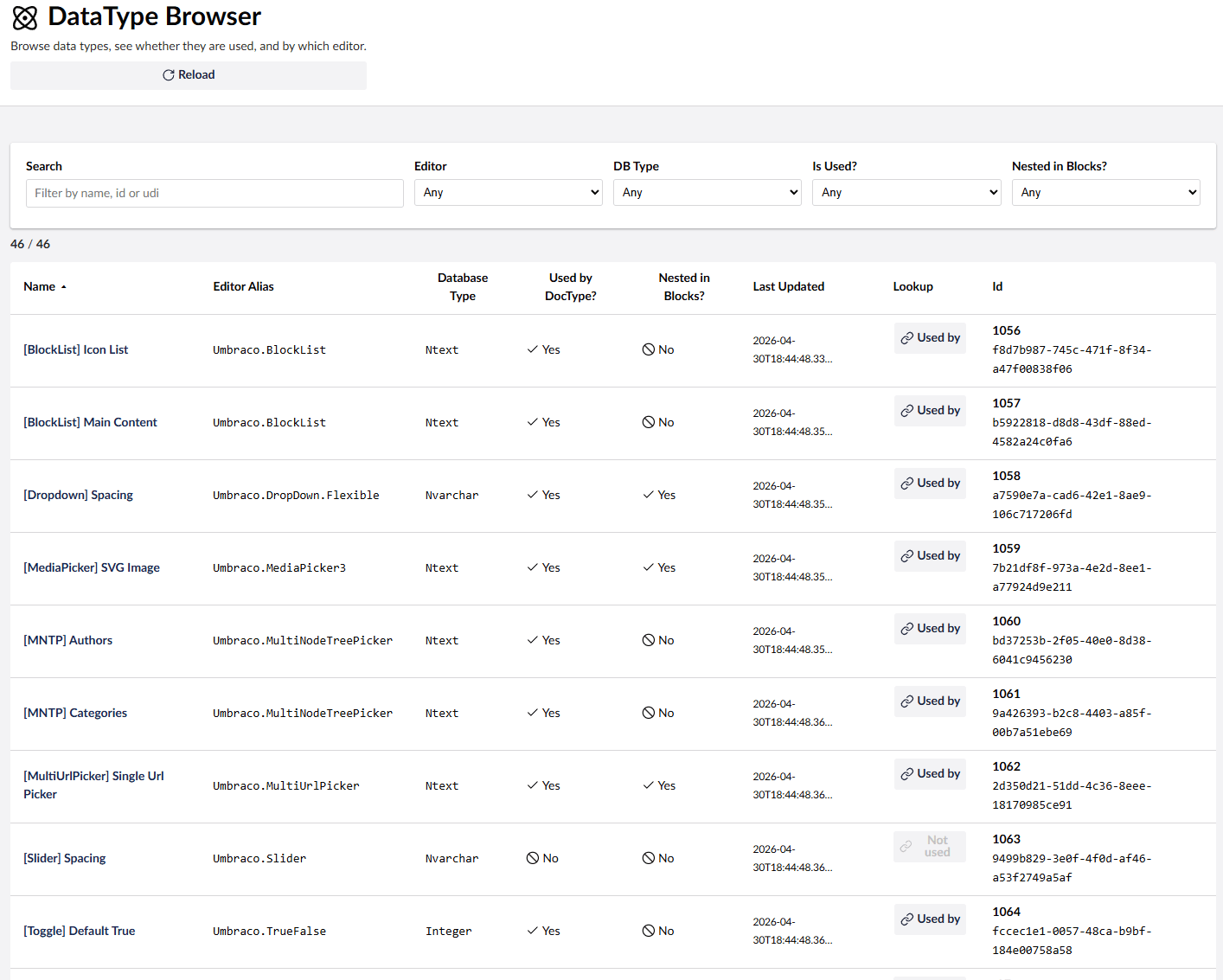
- See document type inheritance, composition usage, data type usage, and property editor usage.
- Find where Element Types are used across Block List, Block Grid, Rich Text, and single-block editors, including nested usage.
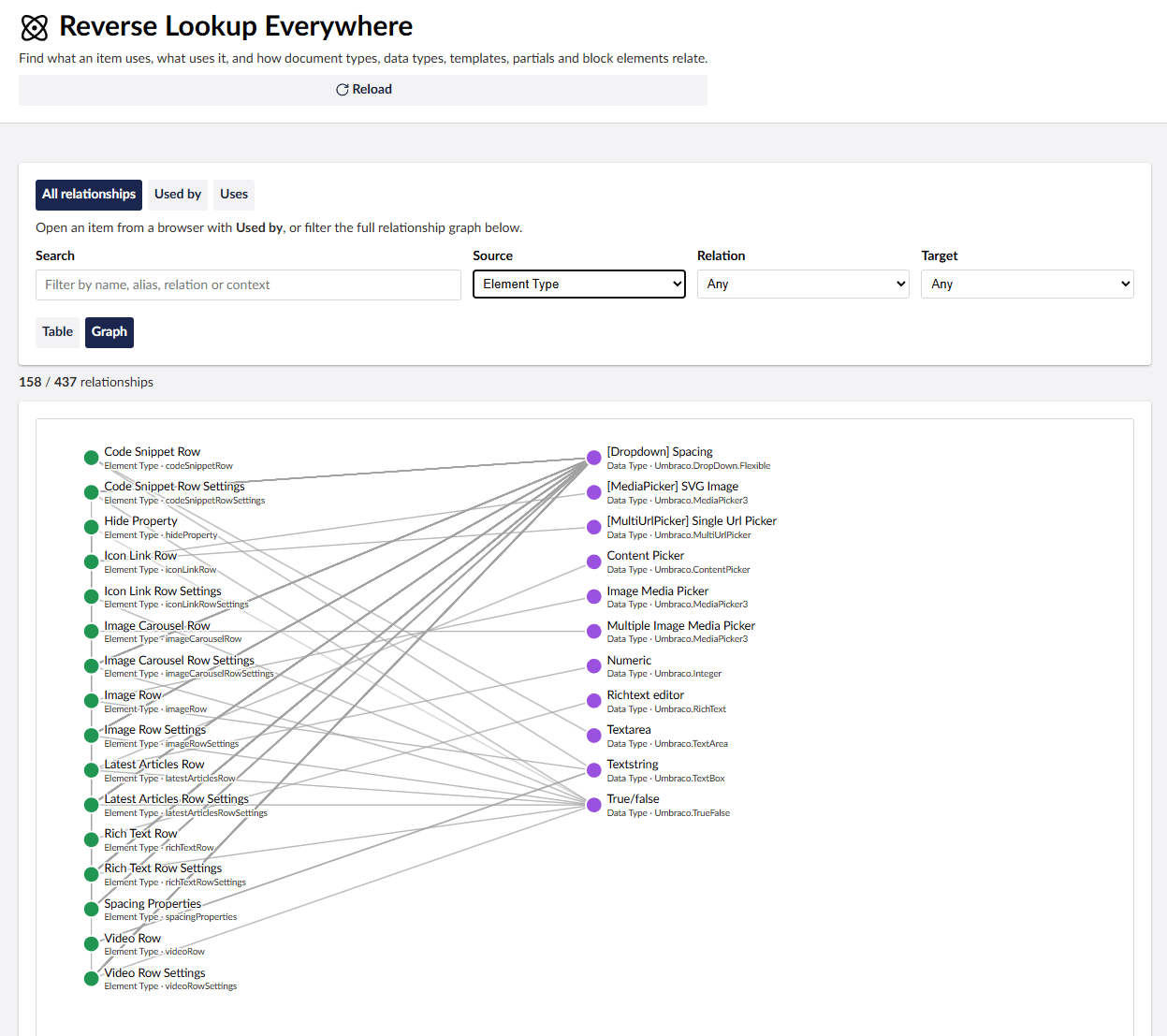
- Trace relationships between types, templates, data types, and block elements with the Reference Graph, and see how many instances of each content type exist.
- Browse templates, partials, controllers, generated models, registered services, Content Finders, and URL providers.
- View content, members and media in searchable/filterable tables.
- Find indexed text in content properties, including supported blocks and rich text, with Property Search.
- Search dictionary keys and translations, compare language values and find missing translations with the Dictionary Browser.
- See pending scheduled publishing, overdue schedules, publishing suspension, and when the scheduled publishing job last ran.
- Check the server time zone, UTC date handling and Umbraco 17 system-date migration settings, and switch dates between Local, Server, and UTC display. See Server time and scheduling diagnostics.
- Surface broken references, configuration drift, and cleanup opportunities with Health & Risk checks.
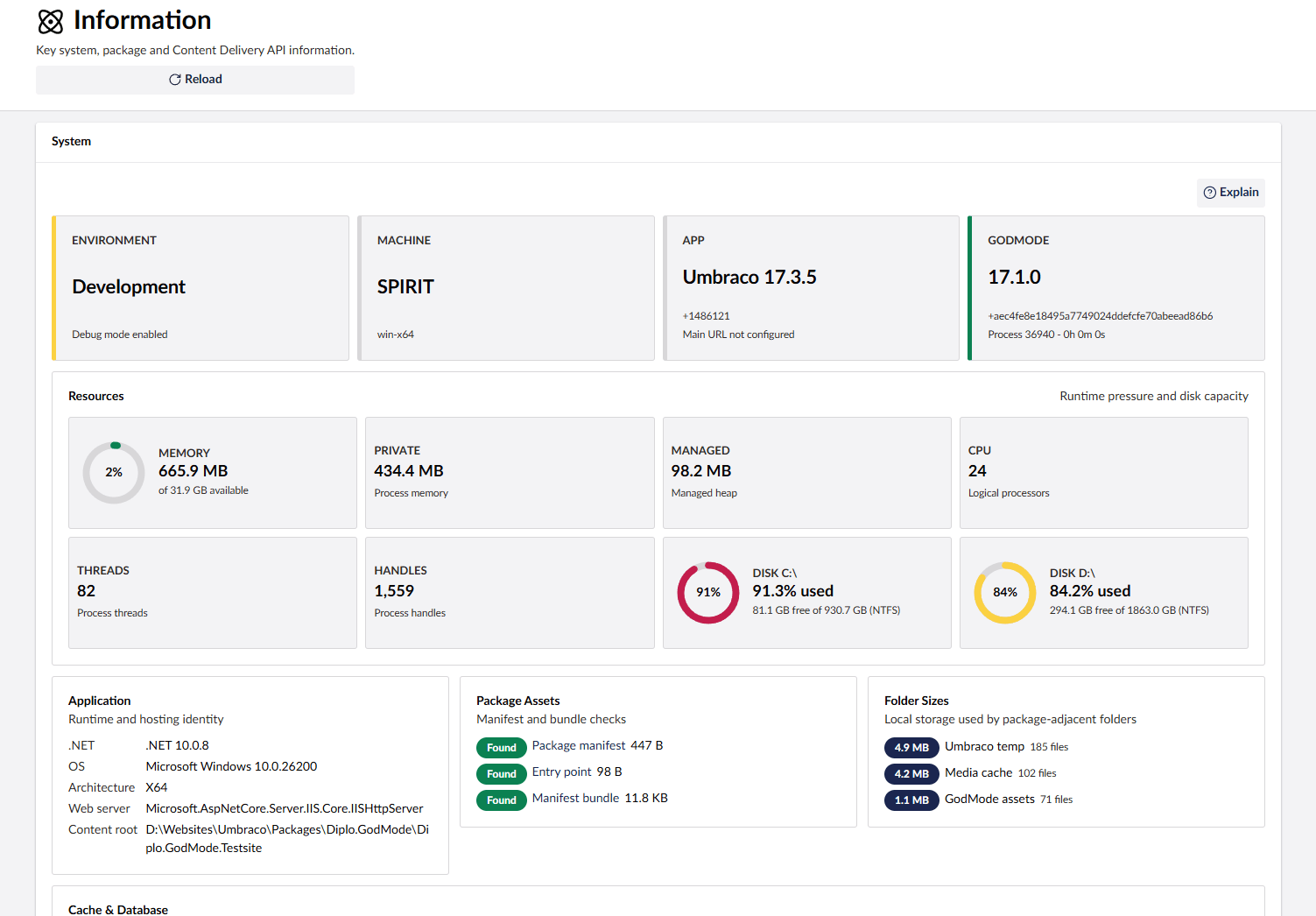
- Inspect diagnostics and configuration values, with optional redaction for sensitive settings, plus key system, package, and Content Delivery API information.
- See the latest stable Umbraco and God Mode versions in each running major and how many listed releases behind they are, loaded asynchronously in the Overview. See Release checks.
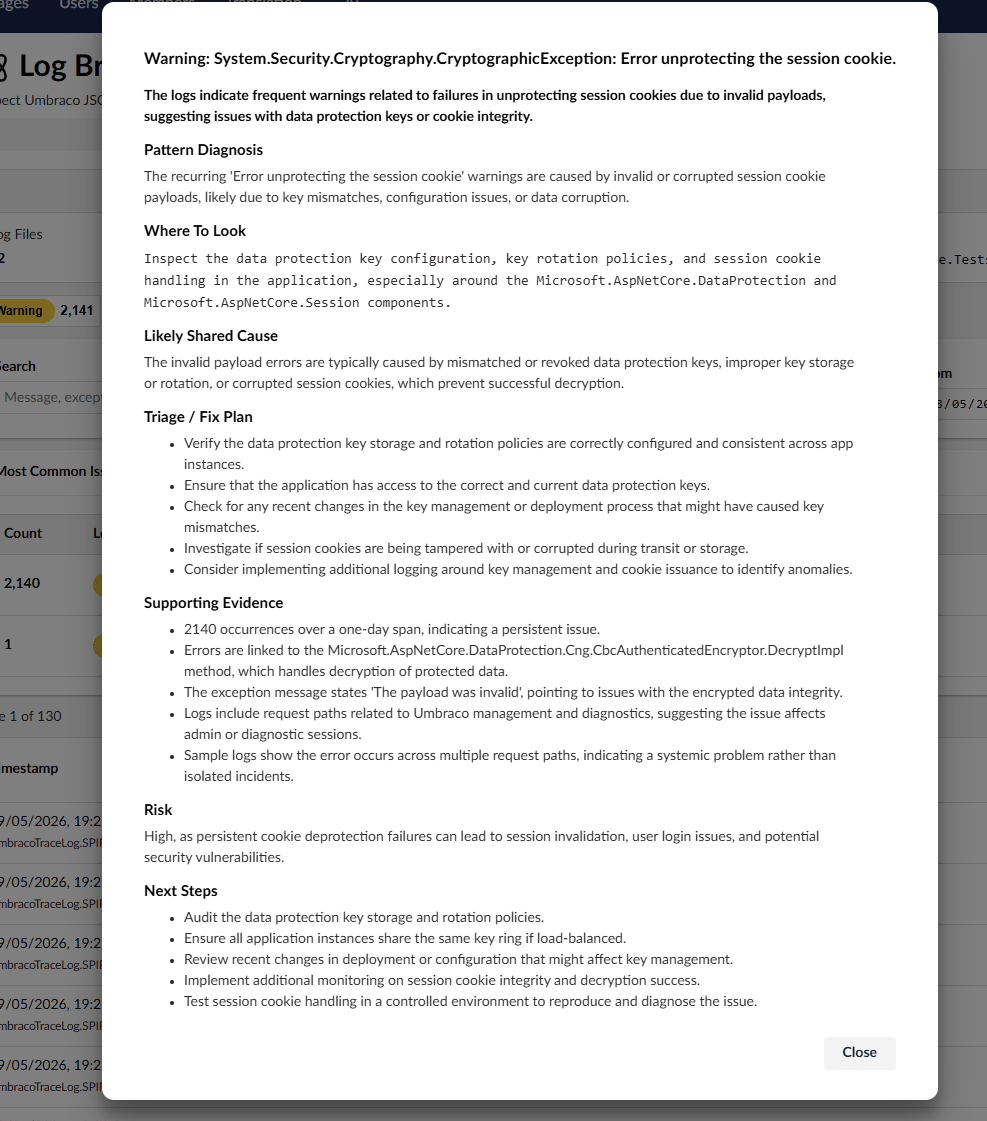
- Filter and search Umbraco JSON logs by level and time.
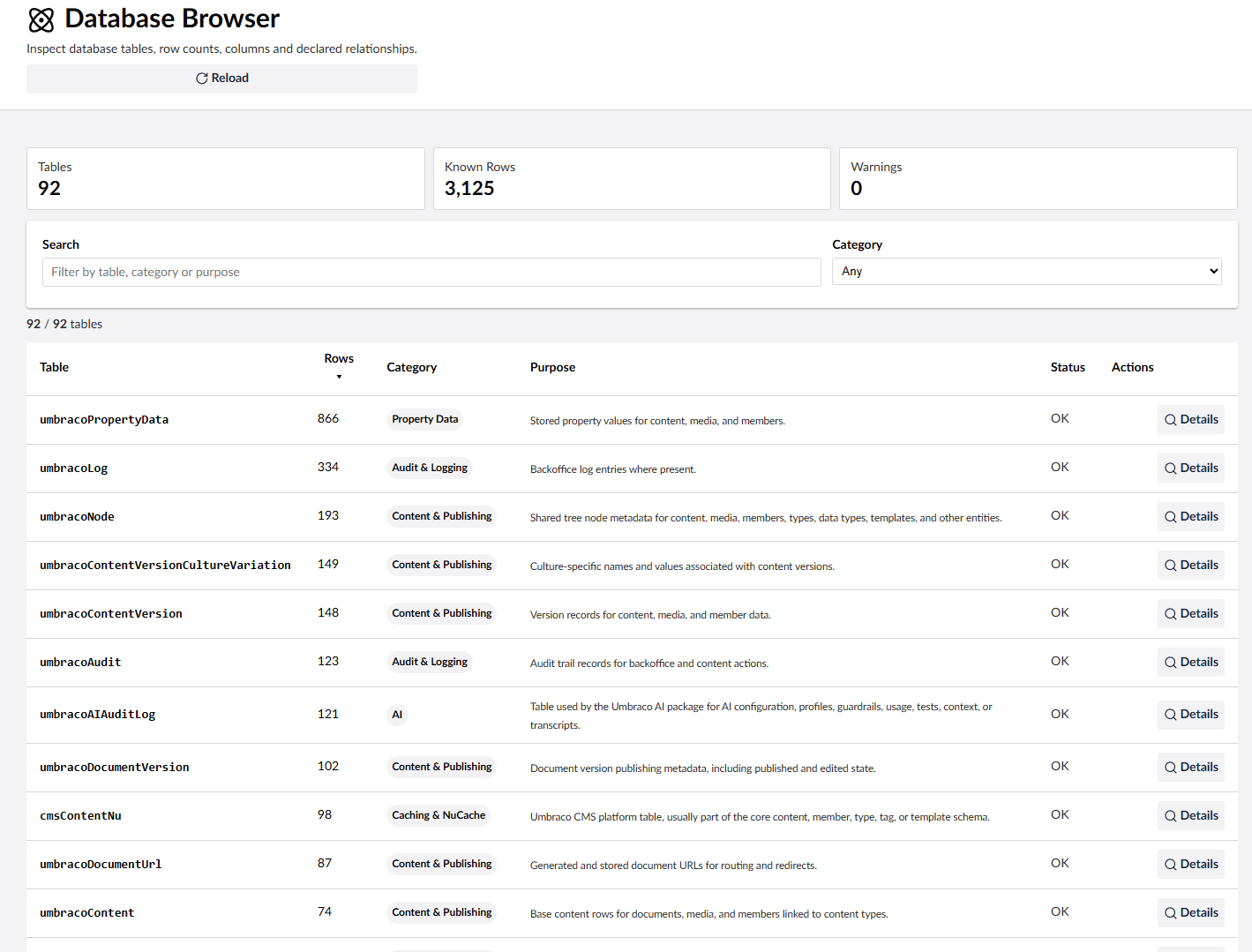
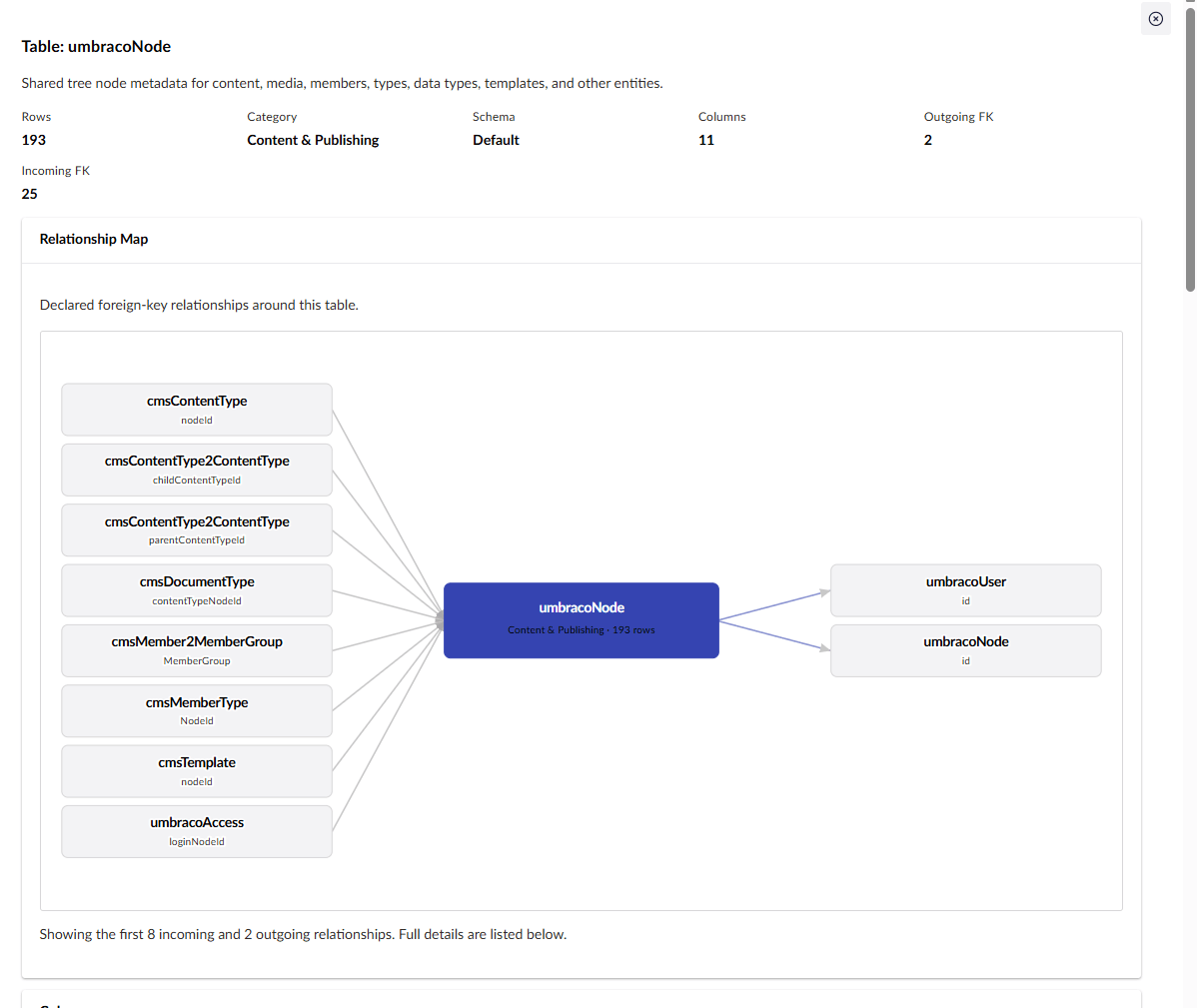
- Inspect database tables, row counts, columns, and declared relationships.
- Inspect registered backoffice extension manifests and runtime NuGet package versions, including package advisories.
- Edit and delete rows in the
umbracoKeyValuetable. - Inspect and clear Umbraco caches and restart the app where supported.
- Hide any God Mode feature you don't need with configuration.
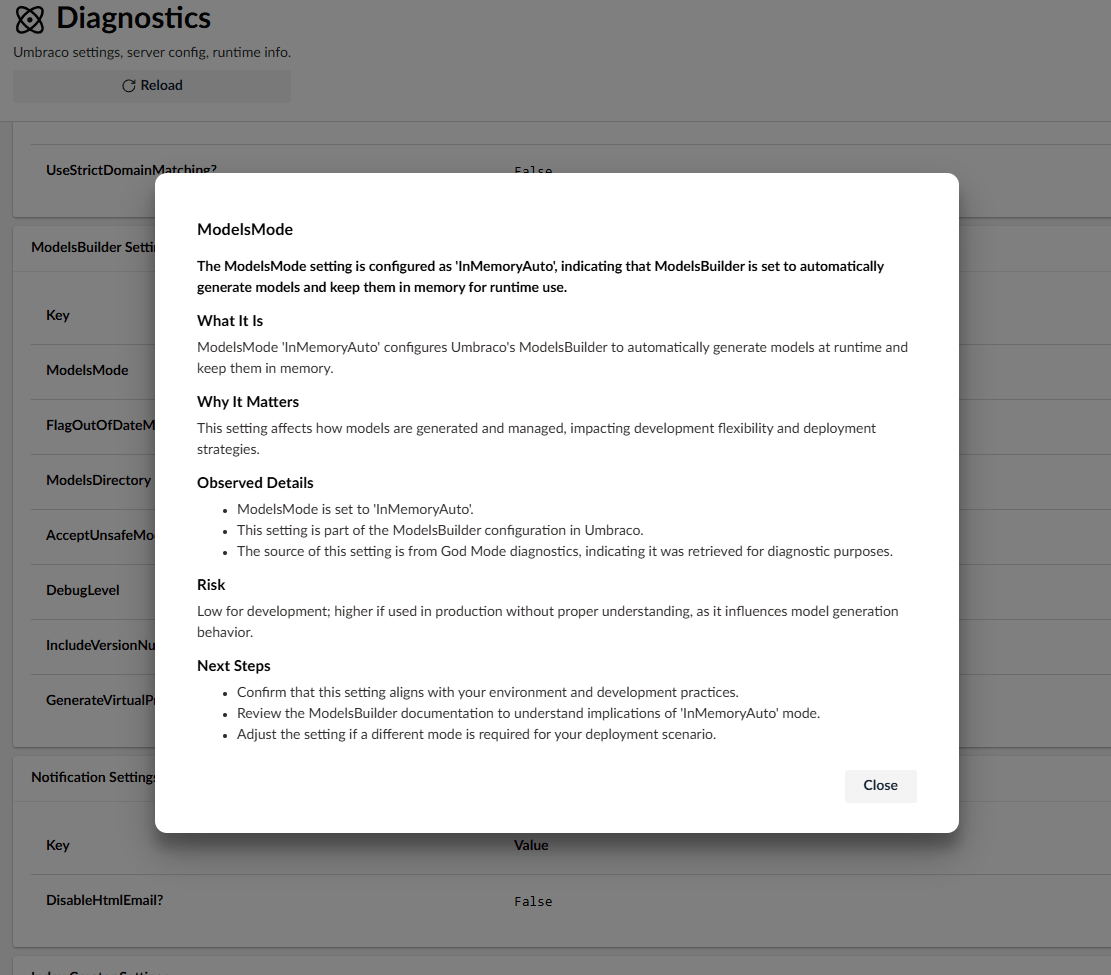
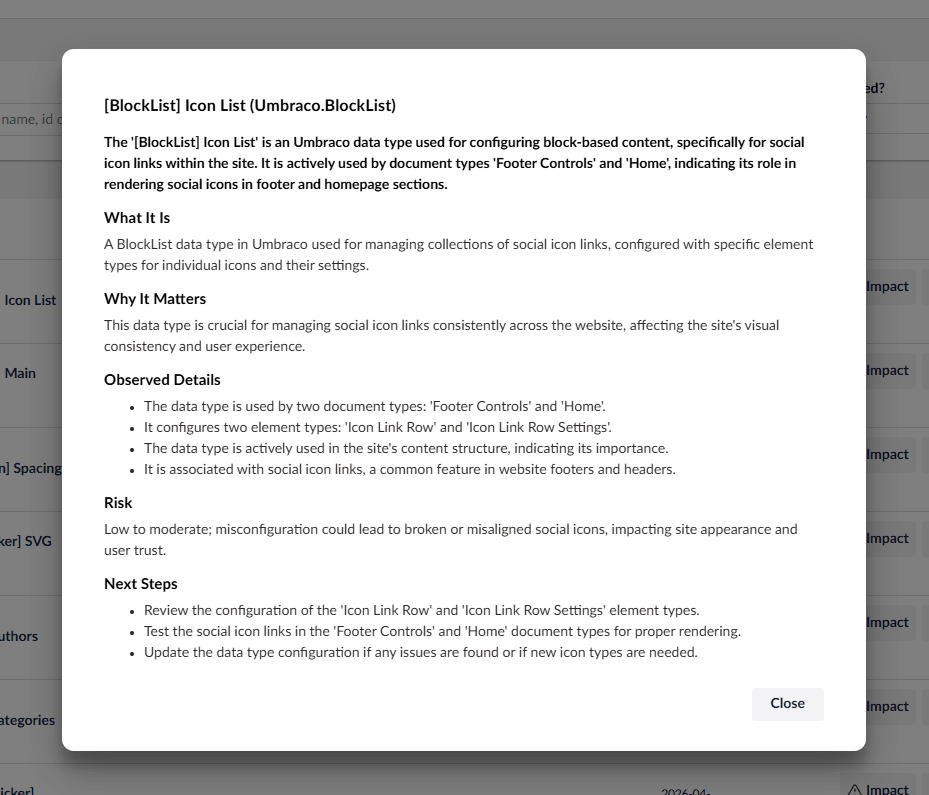
- Optionally add contextual AI explanations with the separate
Diplo.GodMode.AIcompanion package.
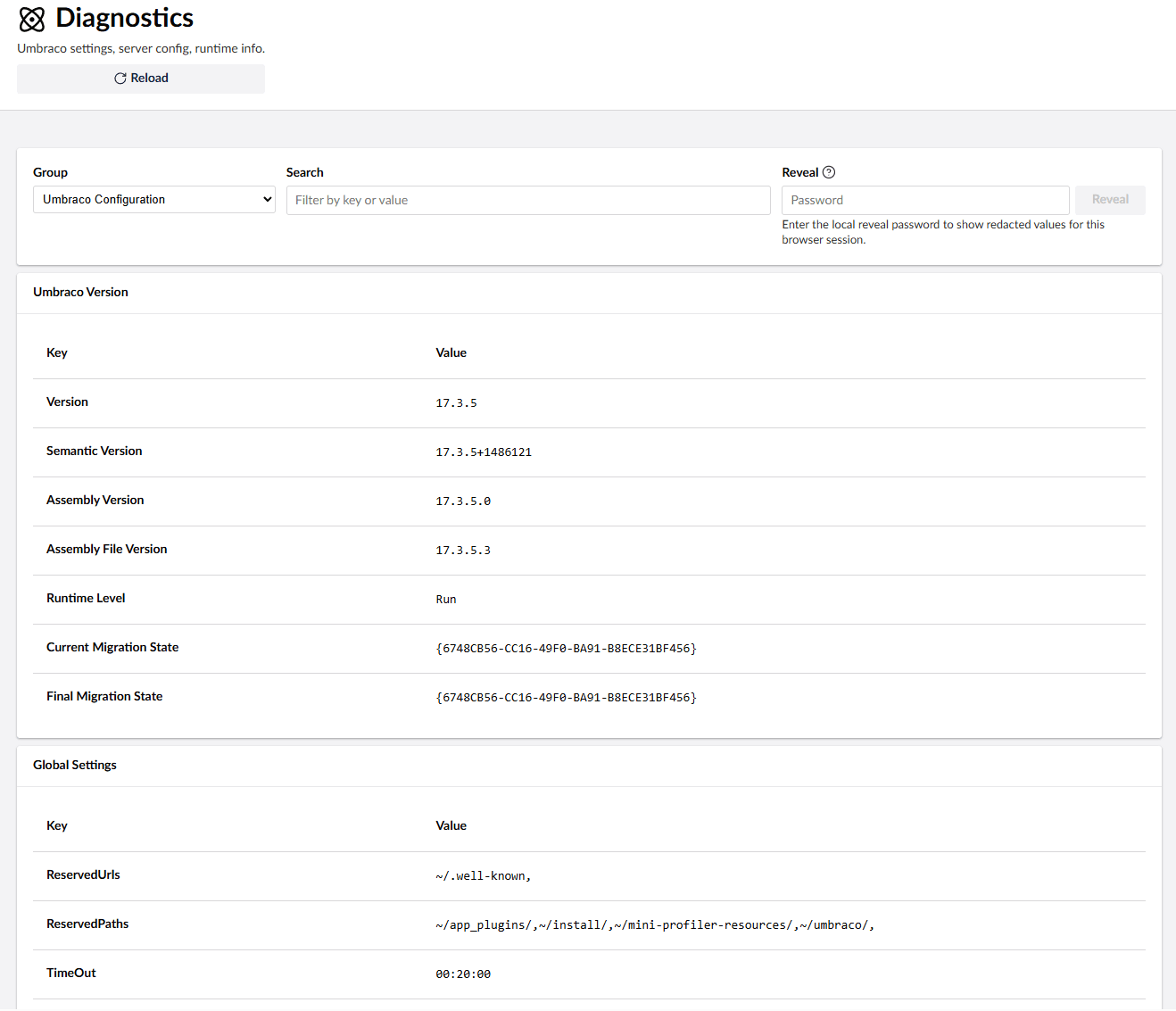
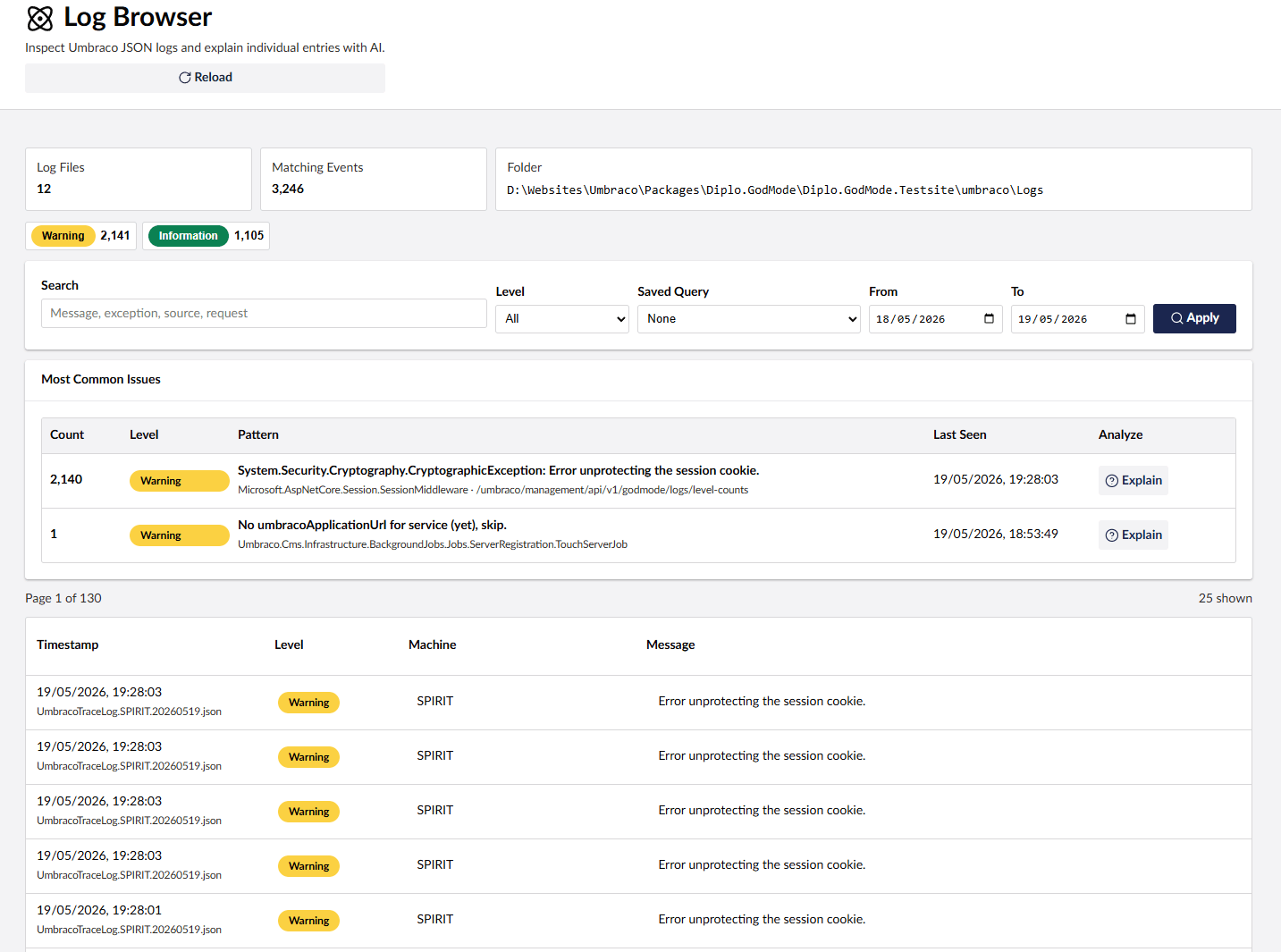
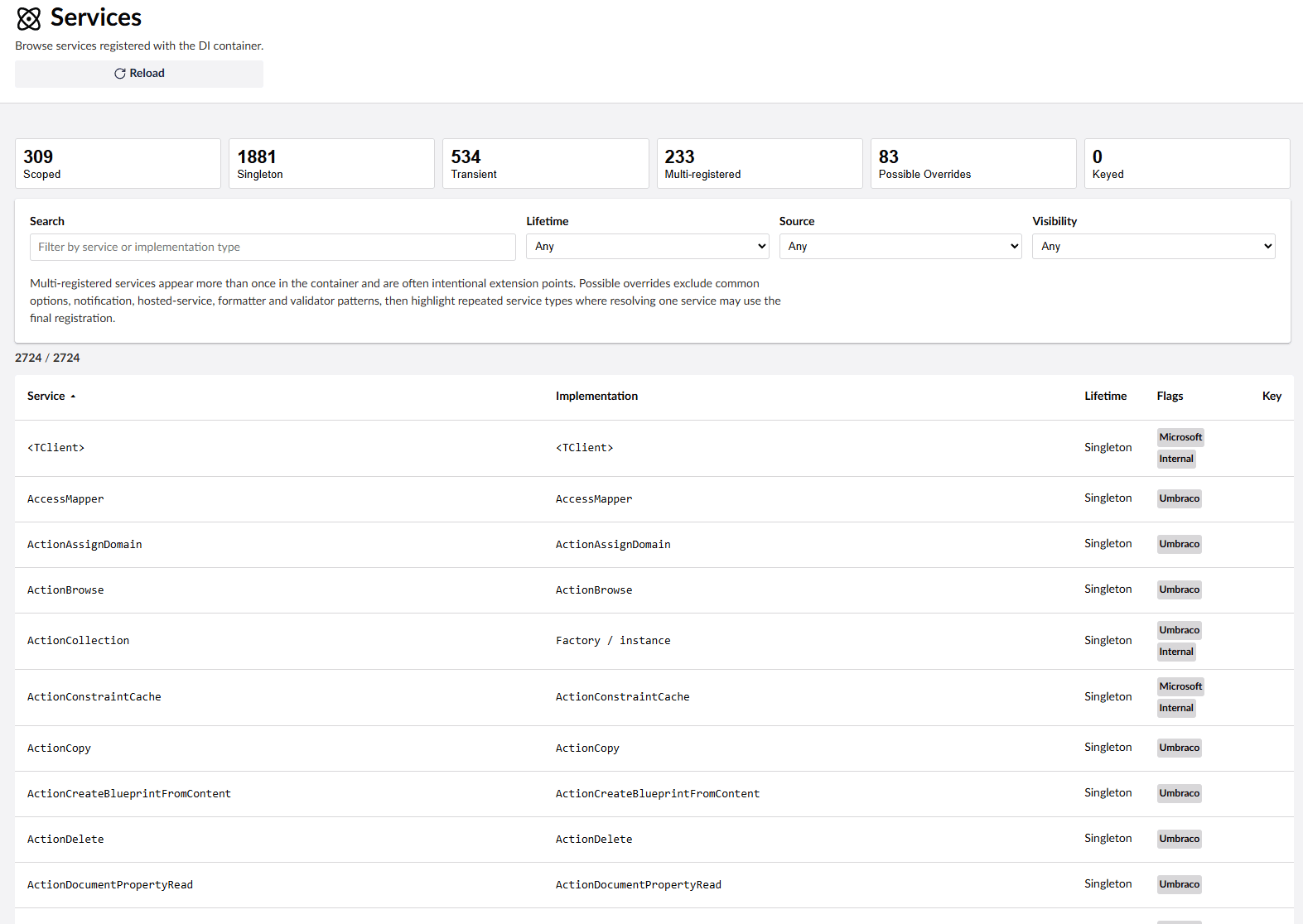
The core Diplo.GodMode package does not depend on the AI add-on. If Diplo.GodMode.AI is not installed, AI controls are not rendered and God Mode does not reserve empty columns or spacing for them.
When installed, God Mode AI uses Umbraco.AI to add contextual Explain buttons in supported God Mode views. To use it:
- Install and configure the free Umbraco.AI in your Umbraco site that has God Mode installed.
- Add an AI provider package, such as the OpenAI provider.
- Create a connection for your provider in the Umbraco backoffice.
- Create an AI profile that uses that connection and select a model, for example
gpt-4.1-nanofor OpenAI. - Restart the site and open God Mode in the backoffice.
Umbraco.AI setup docs:
Note: Umbraco.AI is very cool and completely free!
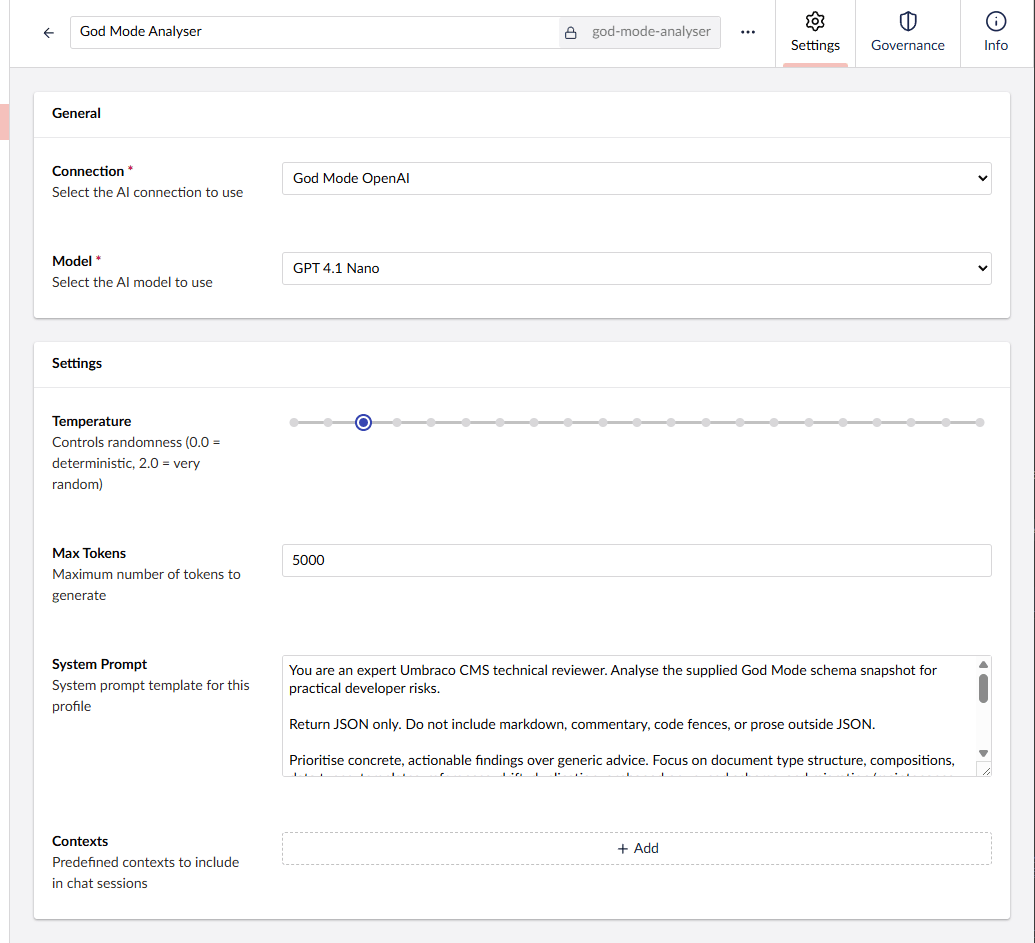
This branch targets Umbraco 17 / .NET 10.
dotnet add package Diplo.GodModeNuGet: https://www.nuget.org/packages/Diplo.GodMode/
After installation, restart the site and open the Umbraco backoffice. The God Mode tree should appear in Settings under third-party/package extensions. If it does not appear immediately, clear the browser cache and confirm /App_Plugins/DiploGodMode/umbraco-package.json is being served.
dotnet add package Diplo.GodMode.AIGod Mode reads its options from the GodMode section of appsettings.json. All settings are optional; this example shows the current defaults.
Note: list settings that have defaults, such as KeysToRedact, KeyMatchesToRedact, AliasesToIgnore and SensitiveAliasTerms, are added to the defaults by .NET configuration binding rather than replacing them. You can add entries, but you can't remove a default entry.
{
  "GodMode": {
    "FeaturesToHide": [],
    "AliasesToIgnore": [
      "umbracoFile"
    ],
    "EnableReleaseCheck": true,
    "DeliveryApi": {
      "SensitiveAliasTerms": [
        "account",
        "auth",
        "config",
        "customer",
        "member",
        "profile",
        "secret",
        "secure",
        "setting",
        "user"
      ]
    },
    "Diagnostics": {
      "GroupsToHide": [],
      "SectionsToHide": [],
      "KeysToRedact": [
        "ConnectionStrings:umbracoDbDSN",
        "godmode_password",
        "ConnectionString"
      ],
      "KeyMatchesToRedact": [
        "password",
        "pwd",
        "secret",
        "key"
      ],
      "RedactRevealPasswordEnv": "godmode_password"
    }
  }
}
FeaturesToHide hides complete God Mode features from the tree and the Welcome page. Each value can be the feature's name as shown in the tree or its alias, and matching is case-insensitive, for example "Services", "serviceBrowser" or "Content Browser". A folder disappears when all of its features are hidden, and listing a folder name (such as "Types" or "Health & operations") hides that whole folder. Hidden features are removed from navigation only; their API endpoints are still available to backoffice users with access to God Mode.
| Feature | Alias |
|---|---|
Overview (also Information) |
informationBrowser |
| Health & Risk | healthRisk |
| Diagnostics | diagnosticBrowser |
| Log Browser | logBrowser |
| Database Browser | databaseBrowser |
| Content Browser | contentBrowser |
| DocType Browser | docTypeBrowser |
| DataType Browser | dataTypeBrowser |
| Template Browser | templateBrowser |
| Partial Browser | partialBrowser |
| Media Browser | mediaBrowser |
| Member Browser | memberBrowser |
| Tag Browser | tagBrowser |
| Scheduled Publishing | scheduleBrowser |
| Reference Graph | referenceGraph |
| Usage Browser | usageBrowser |
| Element Type Usage | elementTypeUsage |
| Types (folder) | typesIntro |
| Services | serviceBrowser |
| Extension Explorer | extensionExplorer |
| NuGet Packages | nugetPackages |
| Key Values | keyValueBrowser |
| Utilities | utilityBrowser |
Individual pages inside the Types folder can also be hidden, for example "Surface Controllers", "Composers" or "Interface Browser".
AliasesToIgnore lists property aliases that Health & Risk and configuration drift checks should skip, case-insensitively. The default ignores umbracoFile, which is expected to repeat across media types.
EnableReleaseCheck controls the Overview release checks, which ask NuGet for the latest Umbraco and God Mode versions. Set it to false before starting servers that must never contact NuGet. The setting is read on each check, so changing it in appsettings.json takes effect without a restart and prevents new lookups; a lookup already in progress can finish within its existing three-second deadline. Reload an already-open Overview to hide its release status. See Release checks.
DeliveryApi:SensitiveAliasTerms lists words that flag a document type as sensitive-looking when it is exposed by the Content Delivery API. Aliases are split into words on camel case and punctuation, and a term must match a whole word, so member matches memberProfile but not remembered.
GroupsToHide hides complete diagnostic groups by title, such as "Server Configuration" or "Umbraco Configuration".
SectionsToHide hides individual diagnostic sections by heading, such as "MVC Version".
KeysToRedact redacts exact diagnostic keys. Non-environment diagnostics can also be redacted with scoped keys in the form "Section:Key" or "Group:Section:Key". Environment config values use the raw configuration key, for example "ConnectionStrings:umbracoDbDSN".
KeyMatchesToRedact redacts any diagnostic whose key contains one of the configured words, case-insensitively. By default this catches keys containing password, pwd, secret, or key.
Restart the site after changing these settings.
The optional AI add-on reads its settings from the Diplo:GodMode:AI section (note the Diplo parent, unlike the core GodMode section). All settings are optional:
{
  "Diplo": {
    "GodMode": {
      "AI": {
        "ChatProfileAlias": "my-profile-alias",
        "MaxOutputTokens": 1000,
        "Temperature": 0.2
      }
    }
  }
}
ChatProfileAlias is the alias of the Umbraco.AI profile used for explanations. When it is not set, Umbraco.AI selects the profile using its own defaults.
MaxOutputTokens and Temperature override the profile's chat options for God Mode explanations only.
Redacted diagnostics stay hidden by default. To enable the Reveal control in the diagnostics browser, set an environment variable whose name matches Diagnostics:RedactRevealPasswordEnv. The default variable name is godmode_password.
For local PowerShell development:
$env:godmode_password = "use-a-strong-local-password"
dotnet run --project Diplo.GodMode.Testsite/Diplo.GodMode.Testsite.csproj
For a persistent Windows user environment variable:
[Environment]::SetEnvironmentVariable("godmode_password", "use-a-strong-local-password", "User")For a deployment environment, set godmode_password in the host's environment variable settings. If you change RedactRevealPasswordEnv, set the environment variable using that custom name instead.
When the variable is present, the diagnostics screen shows a password field. Enter the value of the environment variable to reload diagnostics with redacted values revealed for the current browser session. If the variable is missing, empty, or the configured variable name is blank, reveal is disabled.
The v17 branch contains two projects in one solution:
Diplo.GodMode/Diplo.GodMode.csproj- the Umbraco 17 package source.Diplo.GodMode.AI/Diplo.GodMode.AI.csproj- the optional Umbraco.AI companion package.Diplo.GodMode.Testsite/Diplo.GodMode.Testsite.csproj- a local Umbraco 17 demo/test site that references the package project.
Build everything from the repository root:
dotnet build Diplo.GodMode.slnxBuild the package project only:
dotnet build Diplo.GodMode/Diplo.GodMode.csprojBuild the AI add-on only:
dotnet build Diplo.GodMode.AI/Diplo.GodMode.AI.csprojRun the demo site:
dotnet run --project Diplo.GodMode.Testsite/Diplo.GodMode.Testsite.csprojThen open the Umbraco backoffice at the URL shown by dotnet run and verify the God Mode package loads from /App_Plugins/DiploGodMode/.
The package backoffice is built with Lit, TypeScript, Vite, and Umbraco UI/backoffice packages from Diplo.GodMode/Client. The package project runs the client build during MSBuild. If Client/node_modules is missing, the build restores it with npm ci.
From the repository root:
dotnet pack Diplo.GodMode/Diplo.GodMode.csproj -c Release
dotnet pack Diplo.GodMode.AI/Diplo.GodMode.AI.csproj -c Release
The package ships the compiled assembly and static web assets under App_Plugins/DiploGodMode, including umbraco-package.json.
Release checklist:
npm run type-check --prefix Diplo.GodMode/Client
npm run type-check --prefix Diplo.GodMode.AI/Client
dotnet build Diplo.GodMode.slnx
dotnet pack Diplo.GodMode/Diplo.GodMode.csproj -c Release
dotnet pack Diplo.GodMode.AI/Diplo.GodMode.AI.csproj -c Release
Before publishing, inspect the generated .nupkg files and confirm:
Diplo.GodModecontainsstaticwebassets/App_Plugins/DiploGodMode/umbraco-package.json.Diplo.GodMode.AIcontainsstaticwebassets/App_Plugins/DiploGodModeAI/umbraco-package.json.- Published AI
1.0.0requiresDiplo.GodMode17.1.0or later and can be used with core17.4.0. A local AI rebuild from this release declares a minimum dependency of17.4.0, matching its project reference. AI1.0.0is already published; a future AI release needs a new version before uploading.
Publish Diplo.GodMode before Diplo.GodMode.AI. The Umbraco Marketplace reads package details from NuGet and augments them with the root umbraco-marketplace.json file for God Mode and umbraco-marketplace-diplo.godmode.ai.json for the AI add-on.
This code is indebted to a lot of people in the Umbraco community. Particular thanks to Soren Kottal for his help, to Sebastiaan "Cultiv" Janssen for diagnostic code borrowed in earlier versions, Andy Butland for his cleverness and to everyone who maintains Umbraco docs and package examples.
- Diplo Audit Log Viewer - View and search the Content changes and Audit data that is stored in your Umbraco site's umbracoLog and umbracoAudit tables
- Diplo Dictionary Translator - Free, open-source AI translation for Umbraco Dictionary items using Umbraco.AI and your chosen provider
- Diplo Translator Omni - AI translation for Umbraco 17 and 18 pages, blocks and Dictionary items. Create drafts for review, track source changes, and skip the copy-and-paste.